Showing posts with label design. Show all posts

Wednesday, April 29, 2015

20 Cool CSS3 Animation And Transition Examples.

20 Cool CSS3 Animation And Transition Examples

CSS3 is a powerful and quick way to style your WebPages. There are hundreds of properties that you can apply to your HTML to make your website looking awesome without using any JavaScript. The great power of CSS3 ease your projects with easy fast and fresh coding to create a cool animation and fun without the use of difficult programming languages. In this article we are going to share the best animations examples that are powered by the CSS3 webkit properties. You can use the example to design your own animation for your projects. The examples includes the beautiful progress bars, Switch, day and night, Ajax loader, CSS3 Bonus effects, cursor monster, 3D animation and lot more. The major use behind the below animation is webkit properties and the demos will work only in webkit browsers just like chrome, Firefox, IE explorer and safari etc.
You are free to play with the below examples for learning purposes because on the main page you will be able to see the complete tutorial on each example. So, it’s more useful for new web designers and bloggers who just want to get in touch with transition and animation. Every tut is unique and offers you the best way to learn and try it out on your website or projects. Again note that to get the best results from the below examples you need a webkit browsers that support the major CSS3 webkit properties. So, it’s good time to get started to our collection.

CSS3 Animation Cheat Sheet

In this tutorial you will be able to learn the fade-in, fade out and more interesting latest properties. This cheat sheet offers you the very cool interface to see and learn how the different animations works in different browsers. So, this is very cool CSS3 cheat sheet to get started!

20 Examples of CSS3 animation


Zachstronaut... isocube isocube isocube 

This is 3D cube powered by the great power of CSS. the transition is just cool and awesome that amaze you. I think it offers you the lots of fun and interesting results.

20 Examples of CSS3 animation

A Simple Science Animated with CSS3

This is amazing day and night satiation animation. It works fine with the latest browsers and here you can see how day and night change by the power of CSS transition. You can learn lots more from here to implement in your website or to gain more coding knowledge.

20 Examples of CSS3 animation

Animate.css

If you want to animate the text then you need to learn it on animate.css site. It lets you to apply the different types of effects such as fade-in and out and bounce out and bounce in etc. It's good to get more knowledge.


CSS3 atom animation

This is the cool animation of atom that looks nice and reality based. You can see how it works and see the live demo on the author page.

20 Examples of CSS3 animation

CSS3 Animation - Just for fun

This is fun experiment and have a cool look in the modern browsers.

20 Examples of CSS3 animation

CSS3 Alien Invasion Animation

Very nice example where you can see the best use of webkit properties to create the stunning transition without the use of any JavaScript.

20 Examples of CSS3 animation

Rocket CSS3

This is a CSS3 experiment by Stan Wilson Jr. Here you can see how the rocket animate and move from one place to another. It's cool and fun.

20 Examples of CSS3 animation

Different timing functions

In this tutorial you will be able to learn the different types of timing functions in CSS3 such as ease-in, ease-out, ease in out, linear, custom and awesome. All are best and easy to learn.

20 Examples of CSS3 animation

Card flipping

In this example you will see the best way to flip the movie cards by using the great power of CSS3. The cool animation will amaze you to do it yourself and to learn the way how it works on the web.

20 Examples of CSS3 animation

CSS3 multi-animation

The combination of lots of effects to choose from. Here, you can choose the different types of CSS3 effects to learn transitions and animation easily. When lots of effects works togather it looks amazing.

20 Examples of CSS3 animation

Olympic Story CSS3 Loader


20 Examples of CSS3 animation

CSS3 Graph Animation


20 Examples of CSS3 animation


Pure CSS Switch Day and Night 

This is another cool day and night transition by pressing the button. You can play with it for fun and to learn lots more from this tutorial. It looks cool and amazing.

20 Examples of CSS3 animation

Smooth Pulse


20 Examples of CSS3 animation

SQUASH AND STRETCH


20 Examples of CSS3 animation

Animated Progress Bar

This is what lots of designers and developers looking to animate the progress bar. As you know the progress bar have lots of functions and use in the modern web design. So, to get lots from this bar you can see the tutorial.

20 Examples of CSS3 animation

Nature view CSS3 animation


20 Examples of CSS3 animation

Google Logo With CSS3

Here, you can see the Google animated logo for fun. The whole process is done with CSS3 without the use of any other language. You can learn lots from this tutorial and maybe able to animate your own website logo or project logo for fun. Just amazing take a look at the demo page.

20 Examples of CSS3 animation

All the examples of CSS3 animations are just cool that lets you to learn lots more abput the transition and animation for your carrier, website or a project. We list the best tutorial and hopefully you guys enjoyed it. We try our best to list all the available exmples such as 3D animation, fade in and out and more. If you enjoyed! The article please don’t forget to share it.
Read More

22 Best Free CSS3 Generator Online Tools.

22 Best Free CSS3 Generator Online Tools

CSS3 allows you to style the webpages quickly and easily by applying the different CSS properties on the HTML elements. You can style every part of HTML. In this post we come with the nice collection of CSS3 generator that lets you to make buttons, forms, animation, transition, box shadow, webkit properties and lots more. You can generate the line height, font shadow, applying the different types of fonts and generate the gradient color scheme. So, the basic purpose to list the CSS generator is to help the newbies or those who are looking for some pre-made design without the effort of coding from their part. If we talk about the benefits of using the CSS instead of heavy JavaScript or any other language then the aim benefit is the loading time. Your page will take no time to load if you style it by cascading style sheet. Also the another benefit is easy to use and apply on any HTML element.
So, in the below collection we come with the best tools that offers you the pre-made design of different CSS properties and you can genrate as you wish. Also there is the option to make customization of color, shadow etc by the easy to use interface. You can play with RGBA and Hex color system, box resizing, multiple column style, outline, transform, @font face, border-radius and text shadow etc. So, it’s the best time to play with CSS and to learn the different properties and usage to style your website and projects. Hopefully, it will be good to get start to our nice collection.


Enjoy CSS

Enjoy CSS is the latest development with even cool interface to generate the different CSS properties. It is totally free to use with lots of options. You can easily customize the every part and prefix for the latest browsers requirements.

Enjoy CSS

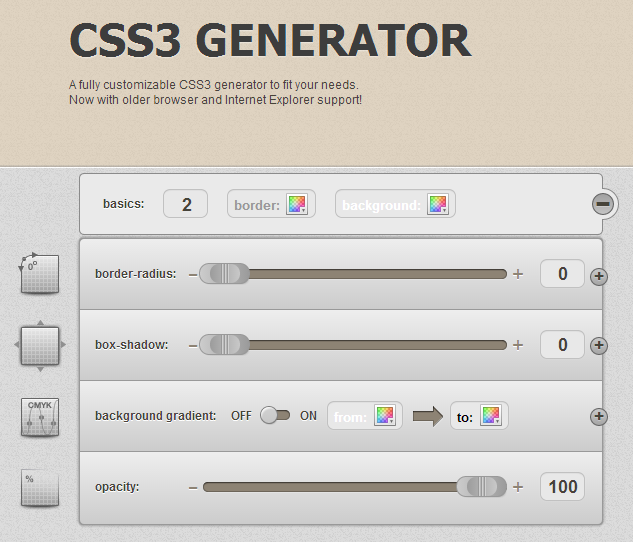
CSS3generator

This tool is most popular the lets you to generate lots of CSS properties such as Box shadow, box resizing,  gradient and more. It is easy to use and customize with different settings. You can choose something and instantly customize your desired property and generate it easily to add in your website. So, lets try it out!

CSS3generator

CSS Layout Generator


CSS Layout Generator

CSS3.Me

This is perfect and fully customizable generator to serve you the best interface and cool styles. Here you can generate the opacity, box shadow, border-radius and lots more.

CSS3 Generator

CSS Layout Generator


CSS Layout Generator

CSS3 maker

This is another popular fully user-interface tool that allows you to play with animation, transition, RGBA and box shadow using the different styles such as horizontal length, vertical length, blur radius and shadow color.

CSS3 maker

CSS3gen

This tool lets you to create the beautiful buttons with gradient and various color schemes. It is easy to add in your project by just adding the HTML and CSS code in your site.

CSS3gen

CSS responsive layout


CSS responsive layout

CSS gradiant genrator

This tool specialize in gradient generator by colorzilla. the pre-made templates lets you to choose from the different styles and generate instantly. It is supported by the latest web browsers such as internet explorer and more.

CSS gradiant genrator

CSS3genrator.in

This is easy to use tool with cool interface. This is also specialize in different properties and is best way to play with coding. You can customize it as you wish.

CSS3genrator

Pageblox


Pageblox

HTML5 / CSS3 Box


HTML5 / CSS3 Box

CSS Table Generator

If you want to generate the table using the CSS and HTML then you should check out this tool. It is very easy to use and allows you to generate the table with different columns options, row option, highlight and cell info etc. You can add this table in your website.

CSS Table Generator

Create CSS3

Create CSS3 is professional tool allows you to choose anything from the sidebar and then play for a unique and most perfect style. It is easy to use with SASS compass and CSS3. You can play with @font-face, backface visibility, transform-rotate-3D and more.

Create CSS3

CSS3Please

Nice site to learn about the Box shadow and style. You can round and even do anything with box and it is supported by the latest browsers.

CSS3Please

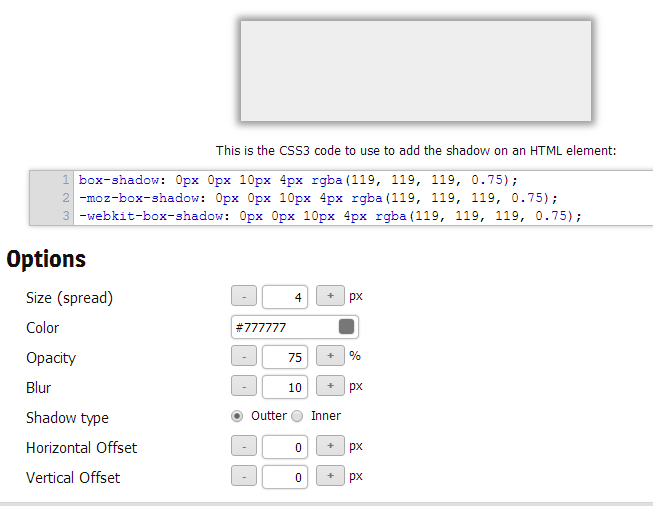
Webs Tools

This specialize in generating the box shadow with various options such as size, color, opacity, blur, shadow type (outer or inner), horizontal offset and vertical offset etc.

Webs Tools

CSSMatic

CSSmatic is the best tool that allows you to play with noise texture and gradient generator etc. it is best for web designers and bloggers to  easily style their website or projects.

CSSMatic

In-web CSS3 div builder


In-web CSS3 div builder

Box-shadow-generator

This is easy to use and more functional way to style the box shadow by dragging the slider to left or right according to your need. Simple and easy that allows the outline and inset options while creating the box-shadow.

Box-shadow-generator

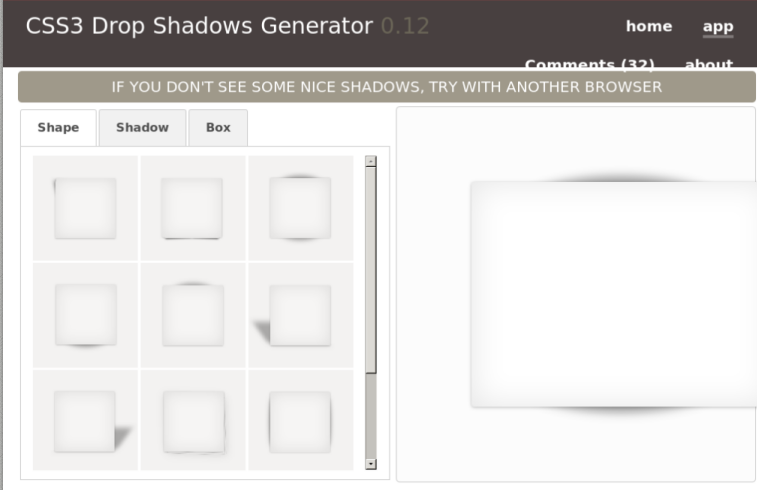
CSS3 Drop Shadows Generator 0.12

Here are some of the best box-shadow templates to choose from. You can choose anyone and add it in your website. You can even customize it as you wish. It's current version is 0.12.

CSS3 Drop Shadows Generator

CSS-Portal

Cool way to generate anything as can be seen in the below screenshot.

CSS-Portal

WestCiv

WestCiv is specialized in the linear gradients, radial gradients, box properties, CSS3 details and lots more tools. It is very easy to use and change the options with drag the slider to left and right.

WestCiv css generator

Box shadow

This tool is developed by the themeshock and lets you to style the box shadow with different tools. there are 7 pre-made templates and one is default. so, it's easy to get started with this tool.

Box shadow

CSS3factory

CSS3factory lets you to generate the color gradient with different directions and color formats. You can change the x-start, y-start, x-end, y-end and different color schemes.

CSS3factory

CSS3 Button generators:

  1. css3buttongenerator
  2. CSS-tricks-buttons-generator
  3. CSS Button Generator
  4. best css button generator
  5. cssdrive button

All the above CSS3 genrator are just cool and allows you to easily style your HTML elements. You can play and learn lots more from the tools. We list the best available and most used on the internet. So, hopefully, you enjoyed! Please don’t forget to to share and subscribe to our newsletter.
Read More